Nielsen Pulse
- 0.0
- Rating
- 500.00K
- Installs
- Free
- Price

 Analysis by App-foxy
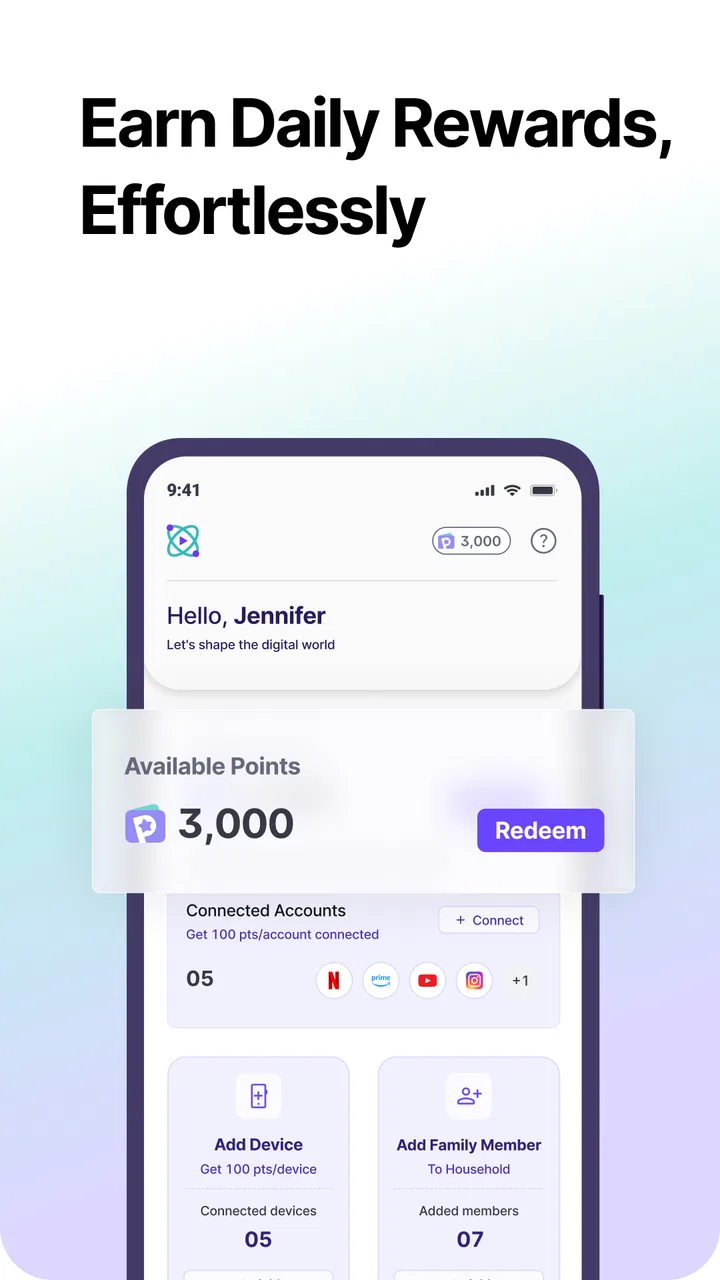
Nielsen Pulse is a tools app with a simple idea: you contribute information about your media habits and receive rewards in return. I found that premise more interesting than the usual “install it and forget it” utility, because the value is not in a flashy interface or a long list of functions. It comes from deciding whether the exchange feels worthwhile to you: a little participation from your side in return for the chance to earn rewards through Nielsen Streaming Panel.
That makes this a very different kind of app from a password manager, file cleaner, or device optimizer. It is not designed to improve your phone directly. Instead, it sits in the background of your everyday digital routine as a panel app, asking you to take part in research. My overall view is positive but selective: Nielsen Pulse can make sense for people who are comfortable sharing the requested viewing-related information and who like the idea of turning ordinary streaming activity into panel participation. It is a poor match for anyone looking for an immediate practical tool or who dislikes research programs on principle.
What using Nielsen Pulse is really about
The app is developed by Nielsen Streaming Panel and belongs to the Tools category. Its public positioning is concise, but the important point is that this is a participation app rather than a conventional utility. You are not opening it to edit photos, organize notes, or monitor battery health. You are joining Nielsen Pulse and allowing your activity to have value as part of a broader streaming research process.
You May Also Like

 Google Keep - Notes and lists
Google Keep’s Quiet Growth Shows the Appeal of Simpler Notes
As mobile work gets busier, Google Keep keeps winning a simple contest: capture a thought quickly, find it later, and get on with the day.

 Blood Strike: 2.5 Anniversary
Blood Strike’s Loadouts Turn Every Drop Into a Tactical Gamble
A close look at Blood Strike’s custom loadouts: how fast access to signature weapons reshapes its battle royale rhythm, rewards preparation, and narrows the gap between fights.

 Pandora - Music & Podcasts
Pandora’s Music Is Easy to Start, but Harder to Recover
Pandora’s strength is its low-effort path from a seed to a station. Its weak spot is how much confidence it asks you to place in connection, setup, and quiet recovery.

 8 Ball Pool
 Is Built on Rivalries, Rematches, and Routine
A close look at the rivalries, rematches, shared routines, and unanswered safety questions that turn a quick pool match into a persistent mobile community.

 Samsung Music
’s Quiet Strength Is Playing What You Already Own
Its reach comes less from spectacle than from dependable access to a personal library. That simplicity is both the app’s strongest retention engine and its ceiling.

 AccuWeather: Weather Radar
AccuWeather Review: A Quick, Clear Forecast for Everyday Decisions
For everyday plans, the best forecast is the one you can understand quickly. AccuWeather makes rain timing, radar, and local conditions easy to act on, with a few trade-offs.
More From Our News Desk



I think that distinction matters before installation. Many people download tools expecting an obvious function they can use on demand. With this app, the useful outcome is indirect. Your role is to enroll, understand what participation involves, keep the app available, and collect rewards when the program conditions are met. That workflow requires more trust and patience than a typical free tool.
The app is free, carries an Everyone age rating, and has passed the threshold of over 500 thousand installs. It was released on April 14, 2026, and the current version is Confluence1.0.6, with Android 10 as the minimum operating system. Those details make the practical compatibility question fairly straightforward: people using a reasonably recent Android phone should be able to consider it, while anyone on an older system will need a different option or a newer device.
One useful way to think about the app is as a commitment rather than a one-time download. The first session should be treated as an orientation period. I would read every enrollment screen carefully, note what participation asks from me, and avoid rushing through setup simply because the app is free. The reward is only worthwhile if I understand the exchange and feel comfortable continuing.
The strongest reason to try it
The clearest strength is its focused purpose. Nielsen Pulse does not pretend to be a complete entertainment hub or a general-purpose rewards marketplace. It gives people a way to participate in Nielsen Streaming Panel while using the streaming services they already enjoy. That can be appealing because it does not require inventing a new hobby or completing a long series of unrelated tasks.
For example, imagine someone who watches a few programs after work and already keeps an Android phone nearby. Instead of installing a survey app that constantly presents random questionnaires, that person may prefer a panel experience connected to everyday streaming behavior. The appeal is not that the app transforms the viewing session; it is that the session may become part of a research contribution without requiring a separate, elaborate routine.
There is also a psychological advantage to a clearly defined panel. With many reward apps, the user has to chase offers, compare tasks, or decide whether a promotion is worth the effort. Nielsen Pulse presents a narrower proposition. If you accept the panel’s terms, your job is primarily to participate consistently and understand the reward process. That simplicity can be more comfortable than a crowded interface full of incentives.
My first practical tip is to keep participation separate from your expectations about entertainment. Do not install this expecting free streaming, discounts on subscriptions, or a replacement for the services you already use. Its role is connected to streaming research, not to supplying content. Seeing that boundary early prevents disappointment and helps you judge the app on the right terms.
A second useful habit is to check the app after setup rather than assuming everything is complete as soon as registration ends. Panel applications often depend on an active participation state, and a user can easily overlook an instruction or a status message. I would make sure the app shows that I am enrolled, review any available reward information, and revisit the main screen periodically. That small routine is more sensible than installing it and never checking whether participation is still active.
Where the experience demands trust
The meaningful weakness is also the central trade-off: the app asks me to place confidence in a research panel. The reward may sound attractive, but rewards do not remove the need to think carefully about data sharing. Anyone who is uncomfortable with an app connected to viewing habits should stop at the explanation stage and decide whether the exchange suits them.
This is not a criticism unique to Nielsen Pulse; it is the nature of the product. A calculator can be judged by its calculations, while a panel app must be judged by the clarity of its participation terms and by whether its reward structure feels fair to the user. I would not recommend tapping through setup without reading the wording. The most important feature here is not a button or a visual effect. It is the user’s ability to understand what joining means.
There is another kind of friction: rewards are usually more motivating when the path to receiving them feels predictable. A person who wants instant results may find a panel model frustrating, especially if participation requires time before an incentive becomes meaningful. That does not make the app ineffective, but it changes who will enjoy it. The right mindset is gradual and practical, not urgent.
A third tip is to treat the app like a small personal agreement. Before joining, ask yourself three questions: am I comfortable taking part in streaming research, can I leave the app installed while I participate, and will the reward be worthwhile even if the process takes patience? If the answer to any of these is no, deleting it later may be easier than feeling uneasy after enrollment.
I would also avoid installing Nielsen Pulse on a phone used by several people unless everyone understands the arrangement. Shared devices can make participation feel less clear because different people may use the same handset for different viewing routines. A panel experience is easier to evaluate when the device and its main user are consistent. That is a practical consideration, not a complaint about the app itself.
How it compares with ordinary reward apps
Compared with survey and offer-based reward apps, Nielsen Pulse has a narrower identity. Traditional survey apps often ask users to answer questions whenever new studies appear. Offer platforms may focus on shopping, advertisements, game trials, or promotional actions. Nielsen Pulse is more specialized: its reason for existing is participation in Nielsen Streaming Panel and the contribution of relevant user data.
That specialization is its advantage if your interests match the panel. You do not need to search through a marketplace of tasks to find something connected to streaming. On the other hand, the narrow focus is a disadvantage if you want control over how you earn. A survey marketplace usually lets you choose whether to complete a particular questionnaire. A panel app may feel less active because your role is based on ongoing participation rather than selecting a new task every few minutes.
It also compares differently with ordinary media-tracking tools. A tracking app may help you remember what you watched, build a personal watchlist, or discover programs. Nielsen Pulse should not be approached as a replacement for those functions. Its purpose is contribution to research and rewards, not personal cataloging. If your priority is organizing entertainment, a dedicated watchlist tool is likely the better choice. If your priority is panel participation, that kind of app would miss the point.
The same distinction applies to privacy-focused users. A local viewing journal that you fill in manually gives you more direct control over what you record, but it does not offer the same panel relationship or reward possibility. Nielsen Pulse is therefore a trade-off between convenience and participation. It may reduce the need for manual logging, but the user must be comfortable with the research context.
Who will get the most from it
I see Nielsen Pulse fitting best for adults who regularly use streaming services, keep an Android phone on a supported system, and are willing to participate consistently rather than chase instant payouts. It may also suit people who like contributing to audience research and prefer a focused program over a noisy rewards marketplace.
The app is especially reasonable for someone who already wanted to join a Nielsen panel. In that case, the mobile format can feel like a convenient way to manage participation from the same device used during daily life. The value comes from alignment: your normal media routine and the panel’s research purpose point in the same direction.
It is less suitable for children despite the Everyone rating, not because the age label creates a problem, but because panel participation is a decision that should be understood by the account holder and device owner. Families should make sure the person installing it understands the arrangement and any responsibilities involved. An age rating is not a substitute for informed participation.
I would tell privacy-sensitive users to pause before setup, read the participation explanations, and decide based on their own comfort level. Someone who wants maximum separation between personal viewing and research should skip this app. There is no reason to force a rewards program into your routine if the underlying exchange makes you uncomfortable.
I would also recommend skipping it if you are searching for a tool with immediate, visible utility. Nielsen Pulse will not clean your storage, speed up your phone, manage your calendar, or provide streaming content. Its usefulness is conditional on accepting the panel model. If that model does not appeal to you, the free price alone is not a good reason to keep it.
Small workflow choices that make a difference
My preferred approach would be deliberate setup, a short check-in routine, and realistic expectations. During enrollment, I would read the wording instead of treating it as a formality. Afterward, I would confirm that participation appears active and look for the reward information that explains how progress is recognized. I would then leave the app alone unless it asks for attention, rather than repeatedly opening it and expecting a new task.
That workflow highlights a subtle trade-off. Active reward apps encourage frequent interaction, while a panel app may reward consistency more than constant tapping. If you are naturally someone who checks every offer and wants to optimize each minute, Nielsen Pulse may feel under-stimulating. If you prefer a low-maintenance arrangement, its focused design could be more comfortable.
Another practical insight is to review the arrangement whenever the app updates or presents new participation details. The current version is Confluence1.0.6, and keeping software current is sensible, but an update is also a good moment to glance at the app’s current instructions. I would not assume that the first setup screen is the only explanation I will ever need. A quick review helps keep expectations aligned with the active experience.
Finally, I would track my own satisfaction rather than only the reward. After using the app for a while, ask whether the process feels simple, whether the participation fits naturally into your routine, and whether the exchange still feels comfortable. That personal check is more useful than comparing it with a headline reward from another service. The best panel app is the one whose demands you understand and can accept.
My verdict for Android users
Nielsen Pulse is a specialized free Tools app with a clear audience. I like its focused relationship with Nielsen Streaming Panel and the fact that it offers a way to turn ordinary streaming participation into a possible reward opportunity. I also appreciate that its appeal does not depend on complicated features. For the right user, the straightforward panel model is the product.
Still, I would not recommend it automatically to every Android owner. The app’s value depends on trust, patience, and willingness to participate. It is not a conventional utility, and it should not be judged as one. People who want instant rewards, detailed control over individual tasks, or complete separation from media research will probably be happier with another category of app.
For someone comfortable with the panel concept, my recommendation is to try it carefully: read the enrollment information, confirm the participation status, understand the reward path, and keep expectations modest. For everyone else, skipping it is a sensible choice rather than a missed essential. The best reason to install Nielsen Pulse is not the word “free”; it is that the research exchange genuinely fits your habits and comfort level.
In short, I see it as a credible option for a narrow but real use case. It can be worthwhile for consistent streamers who want to contribute data and earn rewards without browsing a constant stream of unrelated offers. Its limitations are built into that same focused design. If you accept the trade-off, Nielsen Pulse is worth considering; if you do not, a personal media tracker or a more flexible rewards app will serve you better.
FAQs for Nielsen Pulse
01What is Nielsen Pulse and what is it used for?
Nielsen Pulse is a market research and media measurement app designed to collect information about how people use digital services, websites, applications, and connected devices. Depending on the specific research panel, the app may run in the background and securely transmit usage data to Nielsen. Participants generally use it as part of a voluntary study and may receive rewards or other incentives for keeping the app active.
02What information does Nielsen Pulse collect from my device?
The information collected can vary according to the Nielsen study and the permissions granted on your Android or iOS device. It may include details about app usage, browsing activity, device type, operating system, network information, and general technical data. Before enrolling, users should carefully read the panel’s privacy notice because data collection practices, retention periods, and sharing policies may differ by region and research program.
03Does Nielsen Pulse affect battery life, mobile data, or device performance?
Because Nielsen Pulse may monitor activity and periodically send research data, it can use a small amount of battery, storage, and internet data. In normal conditions, the impact should be limited, although results can vary depending on your device, connection, and the study settings. Users with restricted data plans should check whether the app can transmit over mobile data or configure it to use Wi-Fi only.
04Is Nielsen Pulse safe and trustworthy to install?
Nielsen is a well-known company in audience measurement and consumer research, but users should still install Nielsen Pulse only from an official app store or a verified Nielsen invitation. Review the requested permissions, developer information, privacy policy, and study terms before proceeding. The app may require extensive access to provide accurate research results, so it is important to install it only if you are comfortable with the stated data practices.
05Can I stop participating in Nielsen Pulse and remove the app whenever I want?
In most cases, participation in a Nielsen panel is voluntary, and you can leave by following the study’s withdrawal instructions or contacting Nielsen support. You may also uninstall the application through your device settings. However, uninstalling alone may not explain how previously collected information is handled, and it may affect eligibility for rewards. Check the panel agreement for account closure, incentive, and data deletion details before leaving.
Pros
- Passive tracking requires little daily effort after setup.
- Provides insights based on real media and shopping behavior.
- Can help users understand their digital consumption habits.
- Participation may offer rewards or incentives
- depending on eligibility.
- Runs quietly in the background without interrupting normal device use.
Cons
- Availability and rewards can vary by country
- device
- and survey eligibility.
- Requires sharing usage and behavioral data with Nielsen.
- Background activity may affect battery life or mobile data usage.
- Some users may find the onboarding and permissions process intrusive.
- The app’s insights are mainly useful within Nielsen’s research programs.

Nielsen Pulse
Gallery